
Skullgirls on PC: A Practical Guide to Playing Smoothly on Windows
Download Skullgirls Game & Play on PC
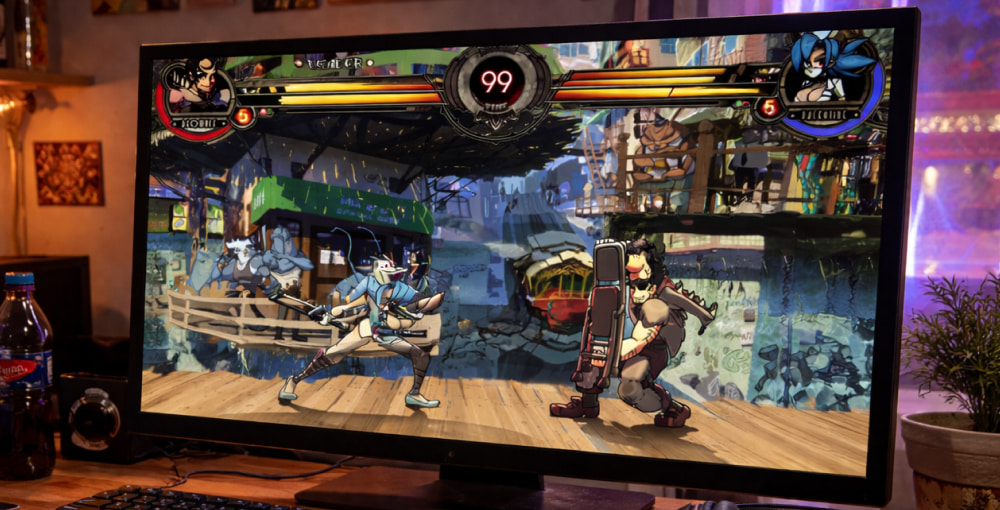
Play NowIf you’re into fast, technical 2D fighters with hand-drawn animation and deep team mechanics, then playing Skullgirls on PC can feel like the best way to experience the game’s precision controls and competitive pacing.
Before you install anything, it helps to understand what “good performance” means for this title: stable frame rate, low input latency, and consistent audio timing. Those three factors matter more than ultra-high graphics settings, because clean timing is what makes combos, bursts, and resets feel reliable.
Why the PC Version Works So Well
The PC ecosystem gives you flexibility: multiple controller options, easy access to patches, and the ability to tweak display settings until the game feels perfect. Many players prefer training mode on desktop simply because alt-tabbing to notes, guides, or frame data references is painless.
- Fine-tune resolution and fullscreen mode for minimal input delay.
- Use wired controllers for the most consistent button timing.
- Keep your GPU drivers updated to reduce rare stutters.
- Close overlays you don’t need (they can add latency on some setups).
System Requirements and Settings Tips
Skullgirls is not demanding by modern standards, but you still want stability. If you notice micro-stutter, try switching between fullscreen and borderless, and cap your frame rate if your GPU is wildly overproducing frames. Also, make sure your audio device is set correctly—desynced audio can make your reactions feel “off” even when the visuals look fine.
| Goal | Recommended Setting | Why It Helps |
|---|---|---|
| Lower input latency | Exclusive fullscreen + V-Sync off (if stable) | Reduces display pipeline delay on many PCs |
| Prevent stutter | Cap FPS to monitor refresh | Smooths frametimes for consistent gameplay |
| Cleaner visuals | Native resolution + integer scaling (when available) | Keeps sprites crisp without blur |
Smart Download and Install Approach
When people search for options like Skullgirls download for PC for free, it’s worth pausing to avoid unsafe installers, since unofficial bundles can include unwanted add-ons or modified files.
For a clean setup, choose a trusted storefront or a legitimate distribution method, and then verify your install through the platform tools so you know the game files are intact. If you’re reinstalling after a long break, remove old config files only if you’re troubleshooting—otherwise you can keep your preferences and controller bindings.
- Install the game from our fan website.
- Launch once to generate configuration files.
- Set display mode and resolution, then restart the game.
- Configure controller in-game and test in training mode.
- Play a few matches to confirm stability before deep practice.
Controllers, Keybinds, and Competitive Comfort
Choosing between keyboard and controller is personal, but consistency is everything. Keyboard can be extremely precise for directional inputs, while controllers can feel more natural for longer sessions. Either way, you want muscle memory to develop without “mystery” misinputs.
“The best control scheme is the one you can reproduce under pressure—comfort matters, but consistency matters more.”
If you’re comparing sources and see phrases like Skullgirls for PC download mentioned alongside random files, prioritize safety and authenticity over convenience.
How to Get the Best Experience on Windows
To reduce background interruptions, set your PC to a performance power plan, disable unnecessary startup apps, and keep storage space available. Competitive fighters benefit from a “quiet” system: fewer background tasks means fewer spikes.
Some players look up Skullgirls free to download for PC while troubleshooting region access or payment issues, but the safest path is still to stick with official channels and avoid unknown executables. If you want to practice efficiently, create a small routine: 10 minutes of movement, 10 minutes of confirm practice, then focused combo reps, and finally match play. This keeps your hands warm and your decisions sharp.
Common Issues and Quick Fixes
- Game feels delayed: try fullscreen, disable overlays, use wired input.
- Audio crackle: switch output device, reduce background audio software, restart.
- Controller not detected: reconnect, change USB port, configure in platform settings.
- Stutter in matches: cap FPS, close browsers, update drivers.
When you see wording like Skullgirls for free for PC download, treat it as a signal to double-check what you’re clicking, because fake “setup” apps are a common trap for popular games.
What to Know About Mobile Formats and PC
Occasionally you’ll run into discussions about Skullgirls APK on PC, which typically points to Android packaging rather than a native Windows build, so it’s not the ideal route if your goal is stable performance and straightforward controls.
If you absolutely must use a compatibility layer or emulator for some reason, keep expectations realistic: input latency can increase and controller mapping may get messy. For most players, a native PC installation is the simplest way to get consistent timing.
Finding the Right Download Source
People often type Skullgirls game download for PC when they’re looking for the quickest path to install, but the “quickest” option is only good if it’s also secure and clean. In the same vein, a search such as download Skullgirls for PC can lead to a mix of official and unofficial results, so use a careful eye and avoid download pages that push extra “managers” or suspicious steps. If you’re specifically optimizing for modern systems, you’ll also see Skullgirls download for PC with Windows 10 referenced in guides, and the key is simply to keep your OS updated and your graphics settings stable.
Finally, if you come across a phrase like Skullgirls for PC download for free, remember that a safe installation is worth more than a risky shortcut, especially when your PC security and personal data are on the line.
Quick Start Checklist
- Install from a reputable source and verify files.
- Use wired input and confirm your keybinds in training mode.
- Set a stable display mode and cap FPS if needed.
- Practice with a short routine before jumping into matches.
Once everything is set up, the Skullgirls game on PC becomes a perfect mix of smooth animation, expressive characters, and the kind of depth that rewards both lab time and real match experience.